SXO blogs
AI search guideSXO Blogs: Search Experience Optimization for Posts People Actually Finish
Search experience optimization for bloggers: speed, skimmable structure, images that help, mobile reading and a clear next step, so the visitors you rank for stay and act.
On this page▸
SXO blogs are posts built for search experience optimization: they rank, and then they keep the reader. That means a page that loads fast on a phone, an answer near the top, headings a skimmer can follow, images that help, and a clear next step when the reader is done.
What SXO means for a blog
Search experience optimization (SXO) is what happens after the click. SEO gets a reader to your post; SXO decides whether they stay, read, trust what they read and do something next.
Google's documentation on page experience is clear that its systems reward pages offering a good experience, and that this is one part of ranking rather than a trump card. The better reason to care is simpler: a post that loads slowly, buries the answer or covers itself in pop-ups loses readers it worked hard to earn.
SXO blogs treat the reader's first ten seconds as the most important part of the post. Everything below is about winning those ten seconds and then the next ten minutes.
Speed and stability: the numbers to hit
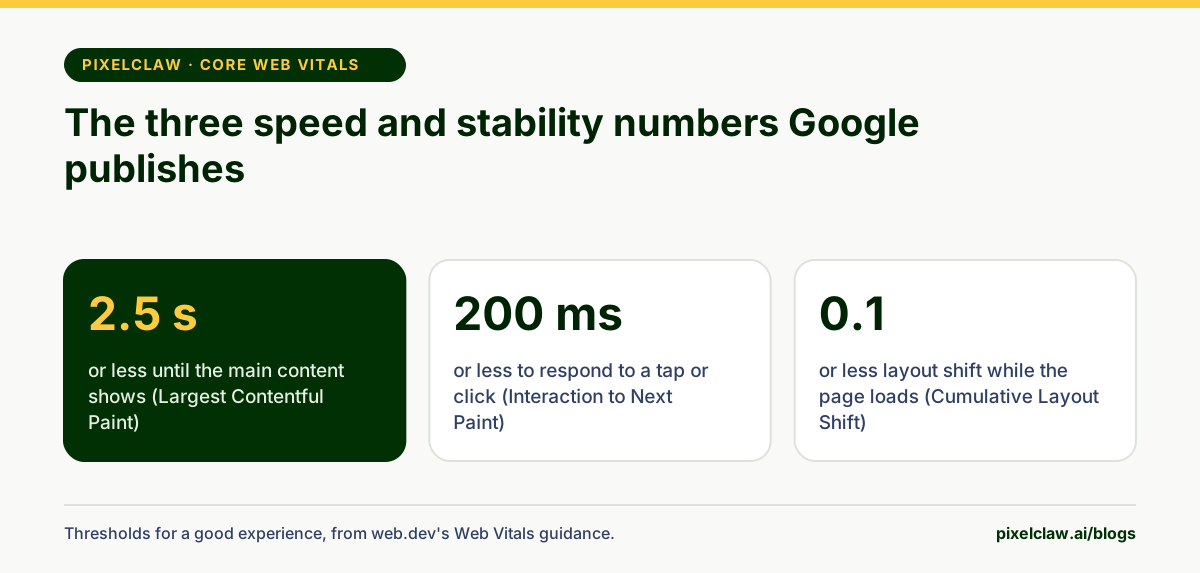
Google publishes three Core Web Vitals with thresholds for a good experience. Largest Contentful Paint measures when the main content appears, and should be 2.5 seconds or less. Interaction to Next Paint measures how quickly the page responds to a tap or click, and should be 200 milliseconds or less. Cumulative Layout Shift measures how much the page jumps while loading, and should stay under 0.1.
On a blog, three things decide most of that. Images: compress them, serve modern formats, give them dimensions so the browser reserves space, and load the ones below the fold lazily. Scripts: every chat widget, tracking pixel and embed adds weight; keep the ones that pay for themselves. Fonts: one or two families, loaded efficiently, is plenty.
Make the post easy to skim
People scan web pages before deciding to read them. Eye-tracking studies by the Nielsen Norman Group found readers often skim in an F-shaped pattern: across the top, then down the left edge, picking up the first words of lines and headings. SXO blogs are written for that behaviour.
Put the answer in the first paragraph, not the fifth. Write headings that say what the section answers, so the left edge of the page reads like a summary. Keep paragraphs to two to four sentences. Use numbered lists for steps and tables for comparisons, because the eye stops on them.
On long posts, add a contents list near the top and a key takeaways box. PixelClaw's score asks for a table of contents on any post over 1,200 words, and a one-click fix adds one when it is missing.
Readability: writing that is easy on tired eyes
Most blog readers are not studying. They are on a lunch break, on a train, or between two other tasks. Writing for them means plain words, sentences that rarely run past twenty-five words, and one idea per paragraph.
Reading grade formulas such as Flesch-Kincaid put a rough number on this, based on sentence length and word length. A grade of 8 to 10 suits most business blogs: specific enough for experts, easy enough for everyone else. Technical subjects can run higher, but every extra grade costs readers who give up.
You don't need to chase the number. Read the post aloud. Where you run out of breath, split the sentence. Where you would never say the word, swap it for the one you would. Where a paragraph makes two points, break it in two.
Every guide in this series shows its own reading grade in the audit box near the top, measured from the article text, so you can see what that range looks like in practice.
Images that earn their place
An image in an SXO blog has a job: show the thing being described, explain a process faster than text, or give the reader a moment's rest in a long page. A stock photo of people pointing at a laptop does none of those.
A hero image sets the tone and becomes the picture people see when the post is shared. Infographics, like the ones in these guides, carry steps and comparisons that are easier to see than to read. Screenshots prove the thing you are describing exists.
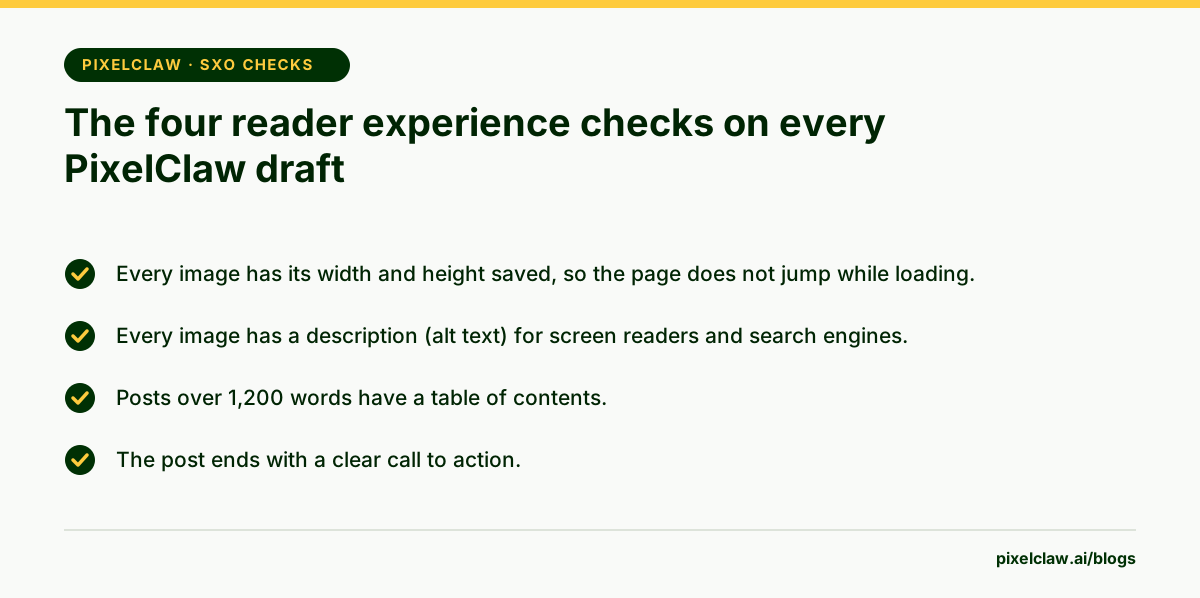
Every image needs alt text that describes what it shows, for screen reader users and for search engines, and saved width and height so the page does not jump as it loads. PixelClaw writes alt text for the hero images it creates by having a model look at the picture, and its score flags any image missing a description or dimensions. Our guide to the AI blog post generator with images goes further.
Reading on a phone is the default, not the exception
For most blogs, the majority of search visitors arrive on a phone. Design and check for that first: a body text size of at least 16 pixels, lines that are not too long on a tablet, buttons and links large enough to tap, and tables that scroll sideways rather than squash.
Be careful with anything that covers the content. Google's guidance on intrusive interstitials warns that pop-ups covering the main content right after someone arrives from search make content less accessible. Legally required notices are a different case, but even those should be small and easy to dismiss.
The simplest test is the best one. Open your post on your own phone, on mobile data, and try to find the answer to the question in its title. If that takes more than ten seconds, the post has an SXO problem, however good it looks on a desktop monitor.
Give every reader a next step
A reader who finishes a post has two choices: leave, or do something next. SXO blogs make the second choice obvious and relevant.
Match the call to action to the question. Someone who searched how to choose an accounting tool wants a comparison next, or a free trial, not a newsletter signup. Someone who read a troubleshooting guide wants the next fix or a person to call.
Related posts do the same job for readers who are still researching. Link two to five of them, chosen by topic rather than by date, so the reader's next click stays on your blog.
Place the next step where the reader is ready for it. A short line after the answer helps the reader who got what they needed in thirty seconds; a fuller offer at the end suits the one who read everything. What rarely works is a banner that interrupts the answer itself. It treats the reader's question as an obstacle, and SXO blogs treat it as the whole point of the visit.
How PixelClaw scores SXO on every post
Reader experience carries 20% of a PixelClaw score, the same weight as answer engines. Four checks make up the area, and the hosted blog handles much of the rest: fast server-rendered pages, responsive layouts, images that load as readers scroll, and a contents list on long posts.
- SXO joins SEO and user experience: a ranking is wasted if the visitor leaves in five seconds.
- Aim for content on screen within 2.5 seconds, a response to taps within 200 milliseconds and almost no layout shift.
- Readers scan before they read, so answer first, keep paragraphs short and add a contents list to long posts.
- Every image needs a reason to be there, a description and saved dimensions.
- End each post with one clear next step that fits the question the reader came with.
Frequently Asked Questions
What is the difference between SXO and UX?+
UX covers every interaction with a product or site. SXO is the slice of UX that starts with a search: making sure the page a searcher lands on answers their query quickly, reads well on their device and leads them somewhere useful next.
Is SXO a Google ranking factor?+
Not as a single factor. Google's page experience signals, such as Core Web Vitals and mobile usability, are part of what its ranking systems reward, and a page that answers well tends to keep visitors. SXO is the practice of getting both right together.
Do blog posts need a table of contents?+
Long ones do. Above about 1,200 words a contents list lets readers jump to the part they need, and PixelClaw's score asks for one on posts that long. Short posts read better without one.
How fast should a blog post load?+
Google's guidance is to show the largest piece of content within 2.5 seconds for most visits. On a phone over an average connection that means compressed images with set dimensions and very little third-party script.
Are pop-ups bad for SEO?+
Pop-ups that cover the content as soon as someone arrives from search are what Google calls intrusive interstitials, and its documentation says they can make content less accessible. Legal notices such as cookie banners are treated differently, but keep them small.
What is a good call to action on a blog post?+
One that matches the question. A reader who searched how to fix a problem wants the next step for that fix, whether that is a related guide, a tool or your service. A generic newsletter box helps far less than a specific next step.
Sources
- Understanding page experience in Google Search results — Google Search Central
- Web Vitals — web.dev (Google)
- Avoid intrusive interstitials and dialogs — Google Search Central
- F-Shaped Pattern of Reading on the Web — Nielsen Norman Group
Built & scored using PixelClaw.ai
More from this blog
Continue exploring autoblogging architecture, AI blog writing, and SEO / AEO / GEO playbooks.

SXO for Startups: What Search Experience Optimization Means and How to Turn Search Visits Into Signups
Ranking gets the click. What happens next decides whether the visit becomes a customer. Here is what SXO means, why it matters to startups, founders, bloggers and copywriters, and the fixes that pay first.
PixelClaw Editorial Team
Product and search team

SEO Blogs That Earn Clicks in 2026: How to Plan, Write and Publish Them
The on-page checklist, the length question, internal links and the technical basics, written for people who want their blog posts found rather than admired.
PixelClaw Editorial Team
Product and search team
AEO Blogs: How to Write Posts That Answer Engines Quote Word for Word
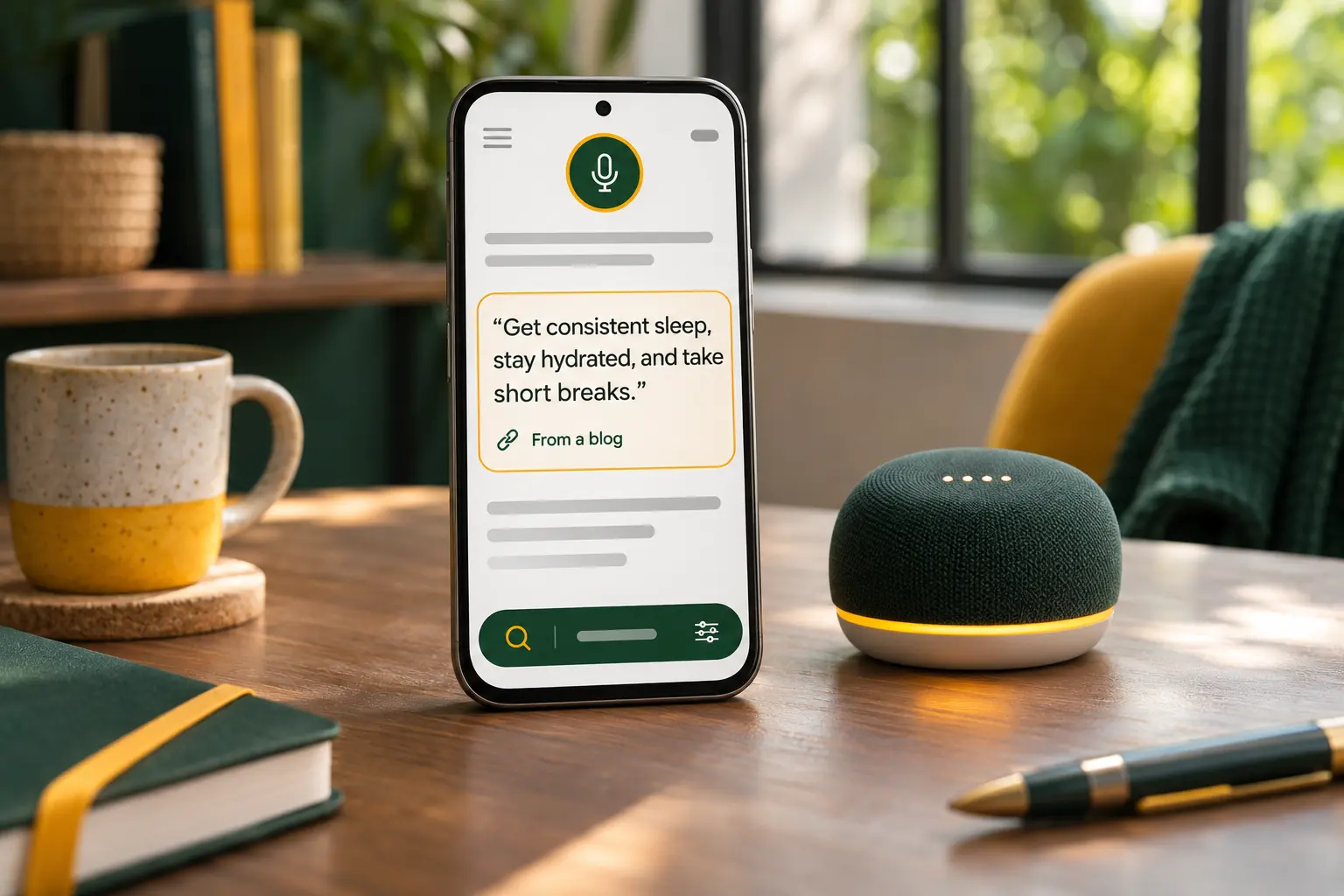
Answer engine optimization for bloggers: how to write the 40-to-60-word answer that featured snippets, voice assistants and AI chats lift straight into their replies.
PixelClaw Editorial Team
Product and search team