Tool comparison
Tool comparisonBest AI Writing Assistants for Editing, Rewriting and Drafting in 2026
The AI writing assistants that make your own writing better: grammar, tone, rewrites, line editing and readability, compared on what they fix, what they cost and whose voice survives.
On this page▸
The best AI writing assistants improve writing you already have. Grammarly is best for correctness and tone across apps; ProWritingAid for deep line editing in English; Wordtune for sentence rewrites; QuillBot for paraphrasing; Hemingway for plain, readable prose; Claude for heavier rewrites; and PixelClaw's editor for blog posts.
What makes an AI writing assistant different from an AI writer
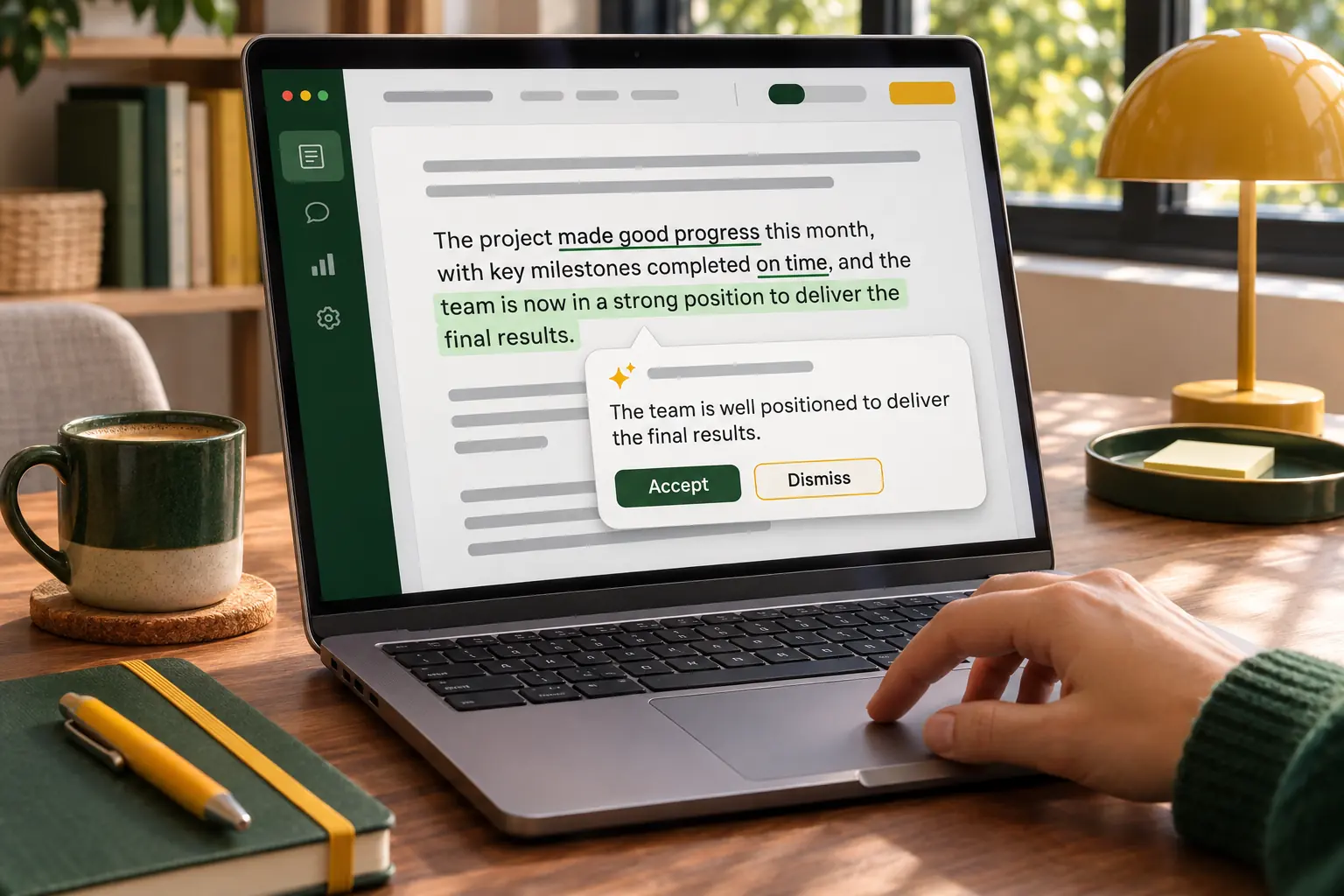
An AI writer produces text from a prompt. An AI writing assistant works on text you already have: it catches mistakes, suggests clearer phrasing, rewrites a clumsy sentence, or tells you that paragraph four is twice as hard to read as the rest. The best AI writing assistants make you a better writer rather than writing instead of you.
We compared them on what they fix, how much they change, where they work and what they cost. PixelClaw's editor appears for blog posts, and it is our product. Everything else was read from each vendor's own site on November 5, 2026.
| Assistant | Best at | Free option | Paid from (own site) |
|---|---|---|---|
| Grammarly | Correctness and tone everywhere | Yes | Pro; see its plans page |
| ProWritingAid | Deep line editing (English) | 500 words per check | $10 a month billed yearly |
| Wordtune | Sentence rewrites | 10 rewrites a day | $6.99 a month ($4.89 billed yearly) |
| QuillBot | Paraphrasing | 125 words at a time | $8.33 a month billed yearly |
| Hemingway Editor | Plain, readable prose | Free web editor | $8.33 a month billed yearly |
| Claude | Heavier rewrites and feedback | Yes, with limits | Pro $20 a month |
| PixelClaw editor | Blog posts and SEO fixes | 2 complete posts | $49.99 a month |
Grammarly: best for correctness and tone everywhere you type
Grammarly runs in the browser, in desktop apps and in many editors, checking spelling, grammar and tone as you type. Pro adds full-sentence rewrites, tone adjustment, plagiarism and AI-text detection and citation checks.
Its plans page lists a free plan with 100 AI prompts a month and Pro with 2,000 prompts per member per month.
Watch out for: it is easy to click accept on everything; a good editor's habit is to read each suggestion first.
ProWritingAid: best for deep line editing in English
ProWritingAid runs more than 25 reports on a draft: overused words, sentence length, pacing, repetition, style and more, plus Rephrases and, on Premium Pro, chapter critiques aimed at fiction writers. It works in Chrome, Edge, Firefox, Google Docs, Microsoft Office and its own desktop editor.
Its pricing lists Premium at $30 a month or $10 a month billed yearly, and lifetime licences from $399. Its site said a seasonal sale was running when we checked.
Watch out for: it supports English only (US, UK, Australian and Canadian).
Wordtune: best for quick sentence rewrites
Wordtune, from AI21 Labs, offers rewrites of the sentence you are on, plus summaries, spelling and grammar fixes and vocabulary suggestions. It is fast and light, and focused on English.
Its plans start with a free Basic tier of 10 rewrites a day, then Advanced at $6.99 a month ($4.89 billed yearly) and Unlimited at $9.99 ($6.99 billed yearly).
Watch out for: daily rewrite caps on the lower tiers.
QuillBot: best for paraphrasing
QuillBot's paraphraser rewrites passages in different modes, with a grammar checker, summarizer, AI detector, plagiarism checker and humanizer alongside. It paraphrases in 23 languages, according to its site.
The free tier handles 125 words at a time in two modes; Premium is $8.33 a month billed annually.
Watch out for: paraphrasing other people's work is not the same as writing your own; use it on your own drafts.
Hemingway Editor: best for plain, readable prose
Hemingway highlights long sentences, adverbs, passive voice and complex phrases, and shows a readability grade. Editor Plus adds AI rewrites of highlighted sentences, grammar fixes and style settings.
The web editor is free; Editor Plus starts at $8.33 a month billed annually, with a two-week free trial and no card.
Watch out for: a very low grade is not always the goal; technical subjects need some technical words.
Claude: best for heavier rewrites and honest feedback
When a draft needs more than polish, a general assistant is a strong editor. Paste a section into Claude and ask for a tighter version, a different structure or blunt feedback on what is unclear; it handles long passages well and tends to keep the writer's intent.
Claude's pricing includes a free plan with usage limits and Pro at $20 a month, or $17 billed yearly.
Watch out for: it will rewrite more than you asked unless you say exactly what to keep.
PixelClaw's editor: best for editing blog posts
For blog posts, PixelClaw's editor works as an assistant inside the post. Select a passage and ask for a rewrite with an instruction, or regenerate a whole section with a note; each uses a few credits, shown before you start. Its checks flag search and readability issues, and one-click fixes write a missing opening answer, FAQ or table of contents, shown to you before they are applied.
The free plan includes enough credits for two complete posts. For drafting blog posts as well as editing them, see the best AI blog writers.
Watch out for: it edits posts on your PixelClaw blog, not documents elsewhere, so pair it with Grammarly or Hemingway for writing outside the blog.
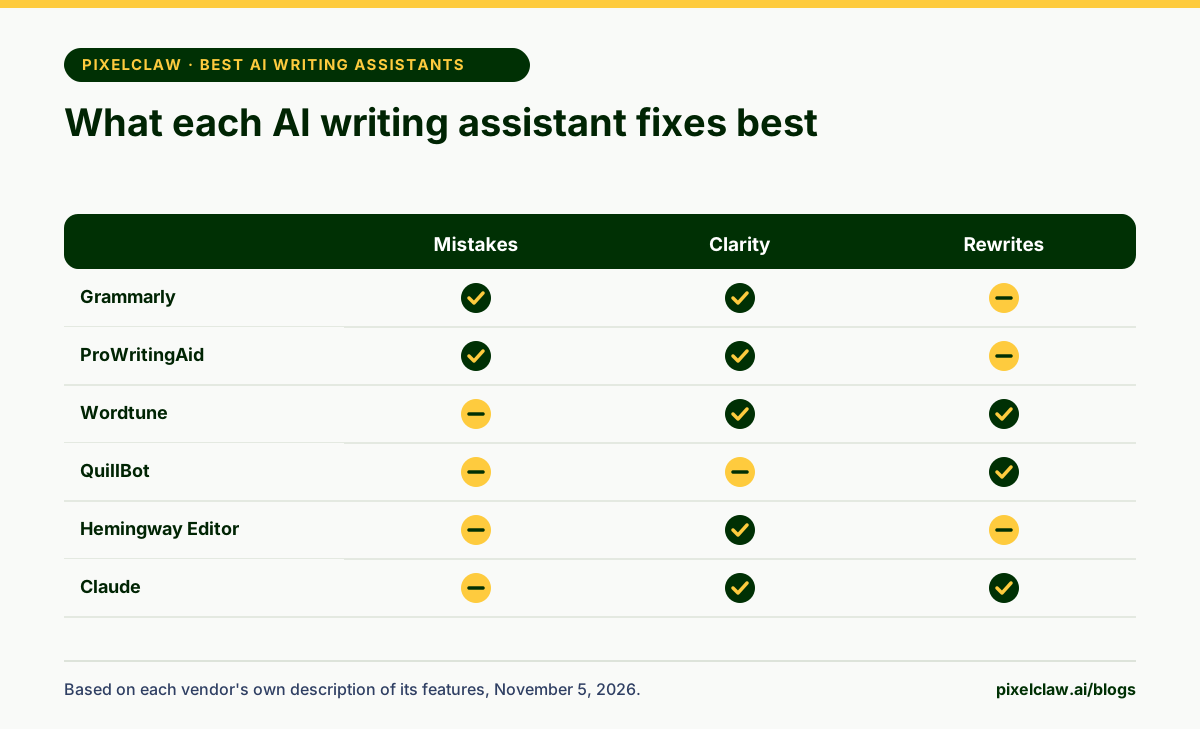
- Writing assistants edit your writing; writers produce it. Choose by what you need fixed.
- Grammarly covers correctness and tone everywhere you type, with a free plan.
- ProWritingAid offers the deepest reports, in English only, including lifetime licences.
- Wordtune and QuillBot are fast, cheap rewriters; Hemingway pushes prose towards plain English.
- For blog posts, PixelClaw's editor rewrites sections and fixes SEO checks in place.
Frequently Asked Questions
What is the best free AI writing assistant?+
Grammarly's free plan covers spelling, grammar and tone with 100 AI prompts a month. Hemingway's free web editor highlights hard-to-read sentences. QuillBot's free tier paraphrases up to 125 words at a time. Each was free on its own site on November 5, 2026.
Which AI writing assistant keeps my voice?+
The ones that suggest rather than rewrite: Grammarly and ProWritingAid flag issues and offer options, and Hemingway only highlights unless you ask it to rewrite. Accept suggestions selectively and your voice survives.
Is ProWritingAid better than Grammarly?+
For long-form English writing, ProWritingAid's reports go deeper into style and structure. Grammarly works in more places, more smoothly, and is easier for quick daily writing. Many writers use one for drafting and the other for a final pass.
Can a writing assistant help with SEO?+
General assistants improve readability, which helps readers stay. For search-specific checks such as keyword placement, title length and structure, use an SEO writing tool such as PixelClaw's editor.
Sources
- Grammarly plans — Grammarly (Read November 5, 2026.)
- ProWritingAid pricing — ProWritingAid (Read November 5, 2026.)
- Wordtune plans — Wordtune (Read November 5, 2026.)
- QuillBot Premium — QuillBot (Read November 5, 2026.)
- Hemingway Editor Plus — Hemingway (Read November 5, 2026.)
- Claude pricing — Anthropic (Read November 5, 2026.)
Built & scored using PixelClaw.ai
More from this blog
Continue exploring autoblogging architecture, AI blog writing, and SEO / AEO / GEO playbooks.

Best AI Writing Tools in 2026: One Pick for Every Writing Job
Drafting, editing, paraphrasing, plain English, marketing copy, team documents and blog posts each have a best AI writing tool. Eight picks, one per job, with prices from each vendor's site.
PixelClaw Editorial Team
Product and search team

Best AI Content Writers in 2026, Judged on One Question: Does It Sound Like You?
Any AI can write a decent paragraph. The hard part is sounding like your business and getting your facts right. Seven AI content writers compared on voice, facts and where the writing ends up.
PixelClaw Editorial Team
Product and search team
AI Blogging Without the Slop: A Working Process for Posts People Trust
Where AI earns its place in a blog, where a person still has to step in, and a five-step process that turns AI drafts into posts worth putting your name on.
PixelClaw Editorial Team
Product and search team