How-to guide
How-to guideHow to Use the Bulk Writer in PixelClaw: Autopilot, the Topic Queue and Your Schedule
A step-by-step walkthrough of PixelClaw's bulk writer: adding topics, setting the pace and days, choosing voice and research depth, approval or automatic publishing, and keeping the queue full.

On this page▸
PixelClaw's bulk writer is Autopilot. To use it, open Autopilot, paste up to 50 topics into the queue, choose how many posts a week and on which days, pick a brand voice and research depth, decide whether posts wait for approval, then switch Autopilot on. It writes each post ahead of its slot.
Before you start: three things to set once
The bulk writer produces better posts when it knows your business, so spend ten minutes on setup before queueing anything.
First, the business profile. Add your website and PixelClaw reads it into a profile: what you sell, where, for whom, at what price. Posts then mention your real services. Second, a brand voice: how formal you are, words you use and avoid, an example paragraph. Third, check your credits. A standard post uses 25, and Autopilot shows the price per post before you start.
If you have no topics yet, that is fine. The bulk writer can suggest them, and Research has ideas, keywords and competitor gaps to pull from.
Step 1: Add topics to the bulk writer's queue
Open Autopilot from your blog's menu. In the topic box, paste your topics one per line, up to 50 at a time; the queue holds up to 200. Write them as the questions readers ask, such as "How long does a heat pump last", rather than single keywords.
Prefer suggestions? Click Suggest topics and choose the ideas you like. Each queued topic shows "Keyword picked when it runs", because Autopilot chooses the best keyword from fresh research at the time it writes.
You can take a topic out of the queue at any time, or clear a finished run from the list; the post it wrote is kept.
Step 2: Set the pace and the publishing days
Choose how many posts a week Autopilot should write. Your plan sets the most it can publish per blog: one on Free, two on Starter, seven on Pro, and up to 14 on any plan while you have bought credits. No blog goes past 14, because a business blog publishing several times a day reads as content made to rank.
Then choose the days and the time posts go live, on your blog's clock. Autopilot starts writing each post about a day before its slot. That leaves time for a retry if something fails and time for you to read the post before it publishes.
Step 3: Choose how the bulk writer writes
Pick the brand voice the posts should use; leave it on the blog's default if you only have one. Pick a research depth: quick, standard or deep. Deeper research reads more sources and costs more credits; standard is the right default for most posts.
If your plan includes translation and the blog has extra languages switched on, you can have each new post translated as well. Each translation's price is shown before it starts, and each translation targets the keyword people search for in that language.
Step 4: Choose approval or automatic publishing
This is the most important setting. In approval mode, the default, each finished post waits for you, booked for its time. Approve it and it goes live then; it never goes live without you.
In automatic mode, Autopilot publishes posts that score 77 or more out of 100 and pass the remaining publication checks, at their booked time. A post that falls short is held in Needs review with the reasons listed, and an owner or admin can approve it from there.
Start with approval. Switch to automatic only once the posts arriving in your review list need little or no editing.
Step 5: Turn on topic sources so the queue never runs dry
A bulk writer is only hands-off if its queue refills. Autopilot has four sources it can draw on when the queue runs low.
Saved keywords are the keywords on your blog's list that no post targets yet, oldest first. This source is free and stays off until you turn it on, so older tracked keywords are not all queued at once. Research ideas that score 70 or more and that no post covers yet are free too. When no good idea is left, Autopilot can find new topics, which uses credits like Find topics in Research. On plans with competitor gaps, it can also check up to three competitors from your business profile for searches they rank for and you don't.
- Saved keywords: free, off until you switch it on.
- Research ideas scoring 70 or more: free.
- Find new topics when no idea is left: uses credits.
- Competitor gaps, up to three competitors: on plans that include them, uses credits.
Step 6: Switch Autopilot on and watch the runs
A blog owner or admin switches Autopilot on at the top of the page. From then on, the run list shows each post moving through research, outline, draft, image and score, with a reason if a step could not finish.
Check in weekly. Read a sample of what was published, look at anything in Needs review, and glance at your credits. If you want the bulk writer to run with less of you, read hands-free autoblogging for what Autopilot can safely do alone.
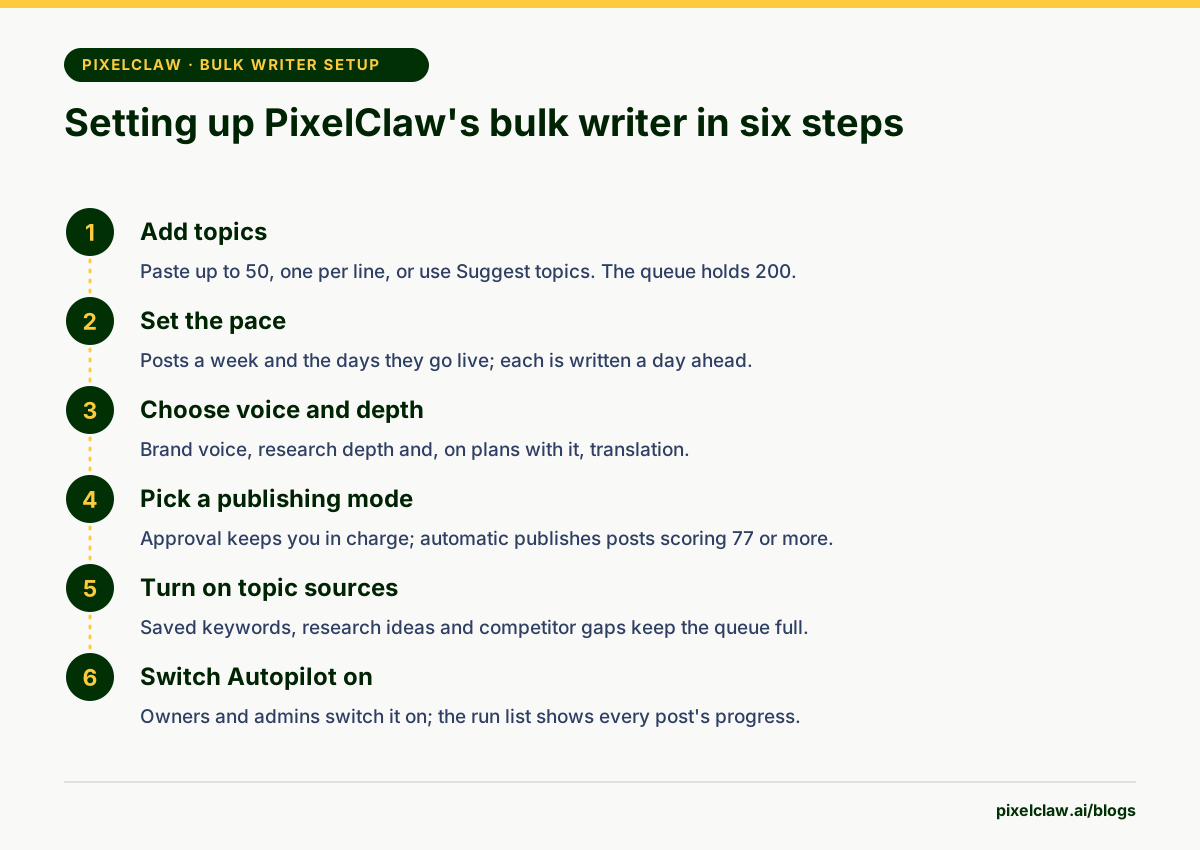
- Paste topics one per line, up to 50 at a time; the queue holds 200.
- Posts a week and publishing days decide the pace; each post is written about a day before its slot.
- Approval mode, the default, means nothing goes live without you.
- Topic sources refill the queue from saved keywords, research ideas and competitor gaps.
- Only blog owners and admins can switch Autopilot on or off.
Frequently Asked Questions
Who can turn the bulk writer on?+
Only blog owners and admins can switch Autopilot on or off. Editors can add topics to the queue, so a team can feed the bulk writer without everyone having control of publishing.
What happens when my credits run out?+
Autopilot waits. Nothing new starts until your plan's credits renew, you buy more, or you connect your own AI key, which uses no credits. Your queue and settings stay as they are.
Can I edit a post the bulk writer wrote?+
Yes. In approval mode each finished post waits for you, booked for its time, and you can edit it in the editor before approving it.
What if a run fails?+
If the problem is on PixelClaw's side, Autopilot retries after 5, 15 and 30 minutes without redoing stages that already finished. If it keeps failing for a reason on your side, such as an expired key, Autopilot pauses and tells you why.
Can the bulk writer translate posts too?+
Yes, on plans with translation. Turn on the languages you want for the blog, and Autopilot can translate each new post into them, with the price shown before it starts.
Sources
- Spam policies for Google web search: scaled content abuse — Google Search Central
- Google Search's guidance about AI-generated content — Google Search Central Blog
Built & scored using PixelClaw.ai
More from this blog
Continue exploring autoblogging architecture, AI blog writing, and SEO / AEO / GEO playbooks.

Bulk Article Generator: Queue 50 Topics at Once, Publish on a Safe Schedule
How PixelClaw turns a list of topics into researched, scored articles, why it releases them at a weekly pace instead of all at once, and what bulk generation costs.
PixelClaw Editorial Team
Product and search team

Hands-Free Autoblogging: What Autopilot Can Run Alone, and Where You Still Step In
An honest look at hands-free autoblogging: what PixelClaw's Autopilot does without you, the safety rails that hold weak posts back, and the weekly hour that keeps it working.
PixelClaw Editorial Team
Product and search team

How to Generate Articles in Bulk With AI, From Keyword List to Published Posts
A seven-step process for turning a keyword list into a batch of articles that rank: clusters first, questions second, a careful first batch, then a steady publishing pace.
PixelClaw Editorial Team
Product and search team