WordPress
PixelClaw toolsAI Writer for WordPress: Three Setups, and When Each One Makes Sense
An honest guide to using an AI writer with WordPress: auto-posting plugins, copy and paste from a chat assistant, or a hosted blog beside your WordPress site, with real prices.

On this page▸
An AI writer for WordPress can work three ways: a plugin or connector that writes and auto-posts into your WordPress site, a chat assistant whose drafts you paste in by hand, or a hosted AI blog that sits beside WordPress on a subdomain. The right choice depends on whether the blog must live inside WordPress.
Three ways to use an AI writer for WordPress
Most people searching for an AI writer for WordPress have the same picture in mind: posts written by AI that appear in WordPress automatically. That is one of three setups, and it is not always the best one.
The first is a plugin or connector: a tool that writes posts and pushes them into your WordPress site, often on a schedule. The second is a chat assistant such as ChatGPT or Claude, whose drafts you paste into the WordPress editor yourself. The third is a hosted AI blog that lives next to WordPress, on a subdomain like blog.yourcompany.com, with a link in your WordPress menu.
Each has a clear best case. The comparison below sums them up, and the sections after it go through each honestly.
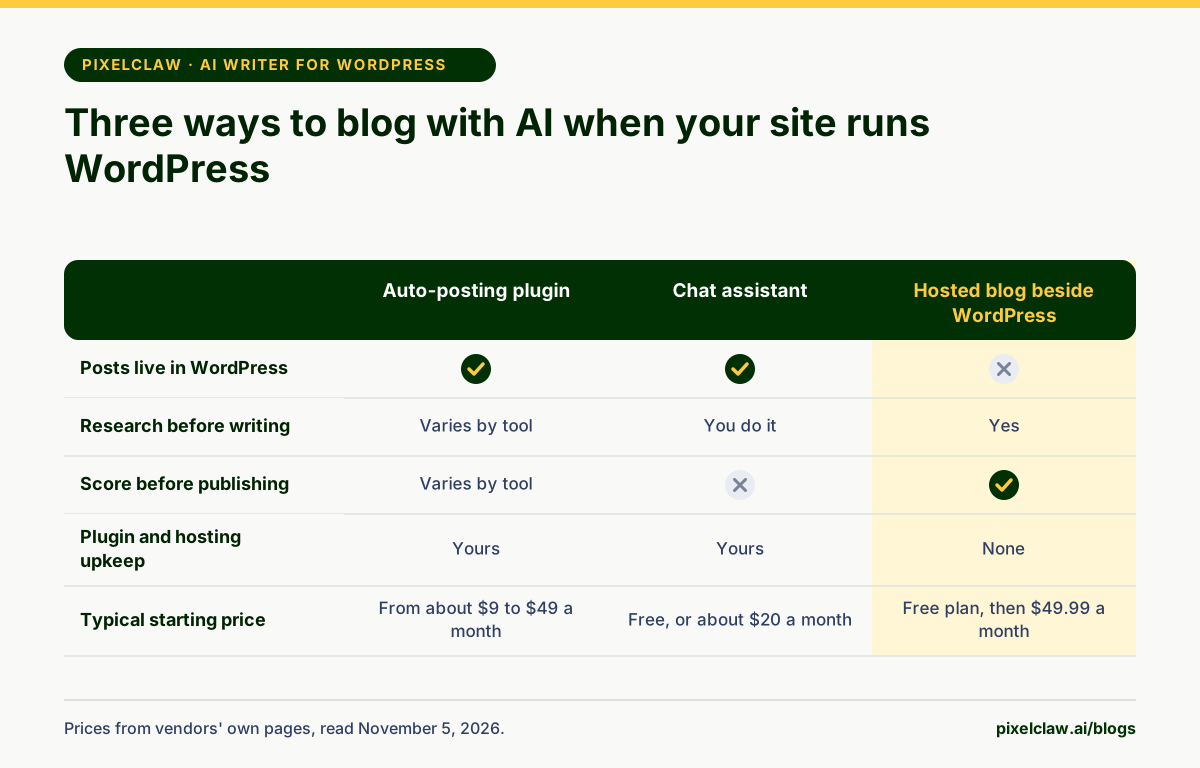
Setup one: an AI writer that auto-posts to WordPress
If your blog must stay in WordPress, for its theme, its plugins or its existing traffic, choose a tool that posts there. Several do it, at very different prices and depths.
Writon starts at $9 a month for 10 articles and publishes to WordPress only, with a daily autopilot. SEOWriting.ai advertises bulk generation and auto-posting of up to 100 articles in a batch to WordPress, with plans from $14 a month billed yearly. RepublishAI is built around WordPress, with a free plan, a $49 Starter and a $99 Autopilot plan for 30-plus articles a month. Autoblogging.ai connects to WordPress through a plugin or the REST API, from $19 a month for 40 credits, where a standard article costs one credit and options such as SERP analysis add more.
The trade-off is upkeep: you still run WordPress, its hosting, its updates and its SEO plugin, and you still check what the tool posts. If you already do all that happily, this is the natural choice.
Setup two: a chat assistant and copy and paste
ChatGPT, Claude and Gemini all write fluent drafts, and their paid tiers cost about $20 a month. Paste the draft into WordPress, add images, set the title and description in your SEO plugin, add links, and publish.
It is the cheapest setup and the most flexible, and for a post or two a month it is perfectly reasonable. It is also the most manual: no research of the ranking pages unless you ask for it and check the result, no structure checks, no images with alt text, nothing on a schedule. The time you save on writing goes into everything else.
Setup three: a hosted AI blog beside your WordPress site
The third option is the one people overlook. Keep WordPress for your main site, and run the blog on a hosted AI blog platform at a subdomain such as blog.yourcompany.com, linked from your WordPress menu.
This is what PixelClaw is built for. The blog is hosted for you, with sitemap, robots.txt, llms.txt and structured data handled. Posts are researched, written, illustrated and scored in one place, and published on a schedule, with Autopilot if you want it. Paid plans connect your own domain, so readers and search engines see your brand. There is no plugin to update and no theme conflict to debug.
The cost is that posts do not live inside WordPress. Your WordPress theme does not style them, and WordPress plugins do not touch them. For most businesses that is a relief rather than a loss, but if WordPress-only features matter to you, choose setup one.
How to choose the right AI writer for WordPress
Ask four questions. Must the posts live in WordPress, for traffic, theme or plugins you depend on? If yes, setup one. Do you publish only a few posts a month and enjoy writing? Setup two is fine. Do you want a blog that runs with little upkeep and checks each post before it goes live? Setup three.
Then check the details that separate tools in the same setup: whether they research the ranking pages before writing, whether they score drafts, how fast they publish and whether you can slow them down, and what a finished post really costs including images. Our comparison of the best autoblogging tools goes through those details tool by tool.
- Posts must live in WordPress: choose an auto-posting plugin or connector.
- A few posts a month, written by hand: a chat assistant is enough.
- A steady blog with no plugin upkeep: a hosted blog on your subdomain.
- Developers with a headless setup: a tool with an API that your site can read.
Making WordPress and a hosted blog work together
If you choose the hosted blog, a few small steps make the two feel like one site. Point a subdomain, such as blog.yourcompany.com, at the blog. Add the blog to your WordPress menu and footer. Use the same logo and brand colour on both. Link from your service pages to the posts that explain them, and from posts back to the service pages.
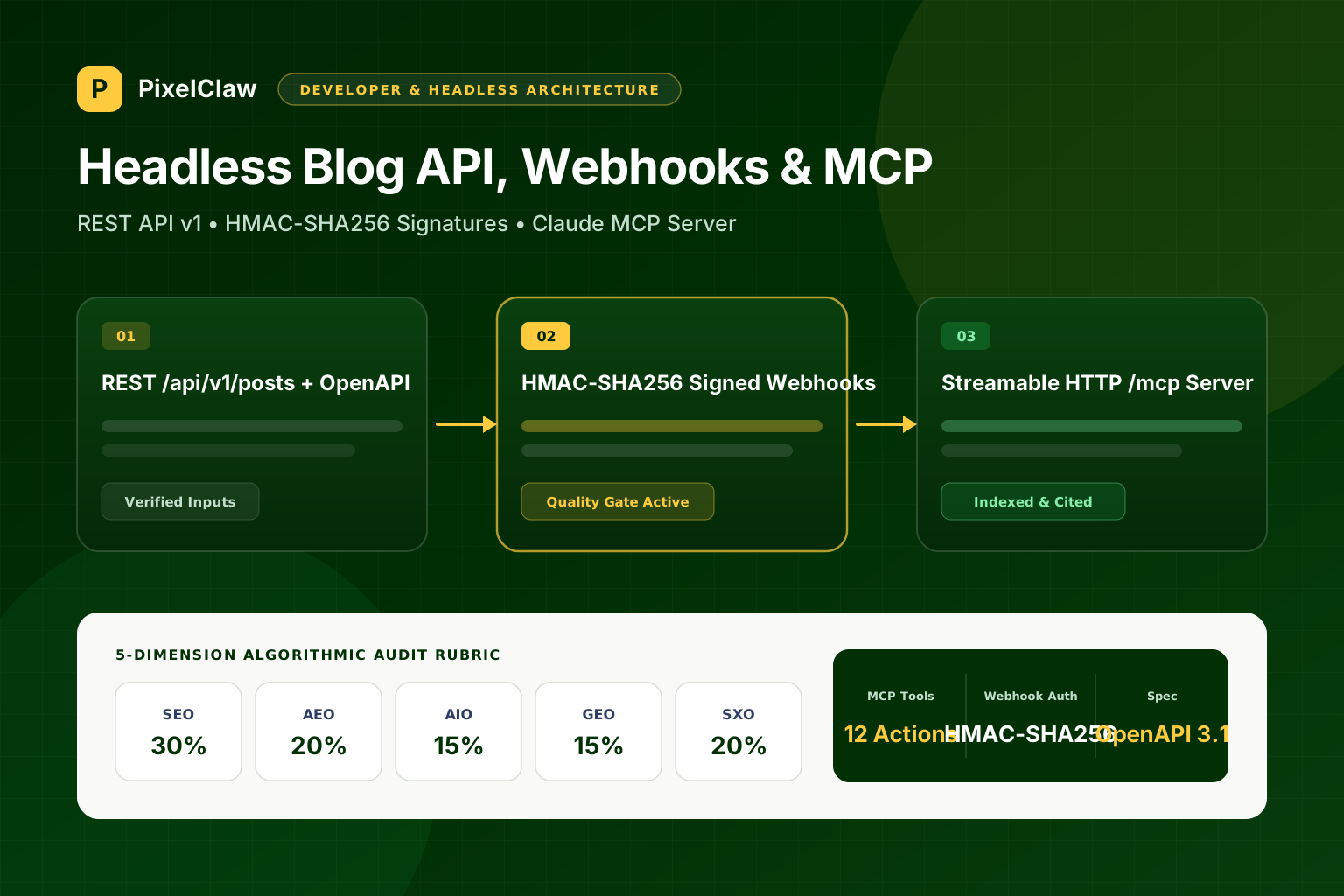
For developers, there is a fourth path: on plans with API access, PixelClaw's REST API and signed webhooks let your own front end, WordPress included, read and render posts itself. We cover that in our guide to headless AI blogging.
- If your blog must live inside WordPress, choose a tool that auto-posts there; several start under $20 a month.
- A chat assistant is the cheapest route but leaves research, formatting, images and SEO setup to you.
- A hosted AI blog on blog.yourdomain.com removes plugin upkeep and still credits your domain.
- PixelClaw is the third kind: it does not post into WordPress, and says so.
- Whatever you pick, keep a person between the AI and the publish button for the first posts.
Frequently Asked Questions
Is there a free AI writer for WordPress?+
Several tools have free tiers. SEOWriting.ai lists 3 free articles, RepublishAI a free plan with its editor and outline tools, and WordRocket AI a free plan of 10 articles a month on your own AI keys, all as stated on their sites on November 5, 2026.
Can PixelClaw publish to WordPress?+
No. PixelClaw publishes to a blog it hosts, which can sit on your own domain on paid plans. Developers on plans with API access can read posts through the REST API and render them anywhere, including a WordPress theme, but there is no ready-made WordPress plugin.
Is a subdomain blog bad for SEO?+
Not inherently. Google treats subdomains as part of a site it can understand, and plenty of strong blogs live on blog subdomains. What matters more is linking between the main site and the blog, and the quality of the posts.
Will auto-posting AI content to WordPress hurt my rankings?+
Only if the content is weak or the volume looks like spam. Google's spam policies target pages made mainly to manipulate rankings. Post at a sensible pace, review what goes out, and auto-posting is safe.
Sources
- SEOWriting.ai pricing — SEOWriting.ai (Read November 5, 2026.)
- RepublishAI pricing — RepublishAI (Read November 5, 2026.)
- Writon pricing — Writon (Read November 5, 2026.)
- Autoblogging.ai home page and pricing — Autoblogging.ai (Read November 5, 2026.)
Built & scored using PixelClaw.ai
More from this blog
Continue exploring autoblogging architecture, AI blog writing, and SEO / AEO / GEO playbooks.

An AI Blog Writer That Also Hosts, Scores and Publishes Your Posts
Most AI blog writers stop at the draft. PixelClaw writes the post, scores it, and publishes it to a blog it hosts for you, with everything a blog needs already set up.
PixelClaw Editorial Team
Product and search team
Best Autoblogging Tools in 2026: Hosted, WordPress and Agent Options Compared
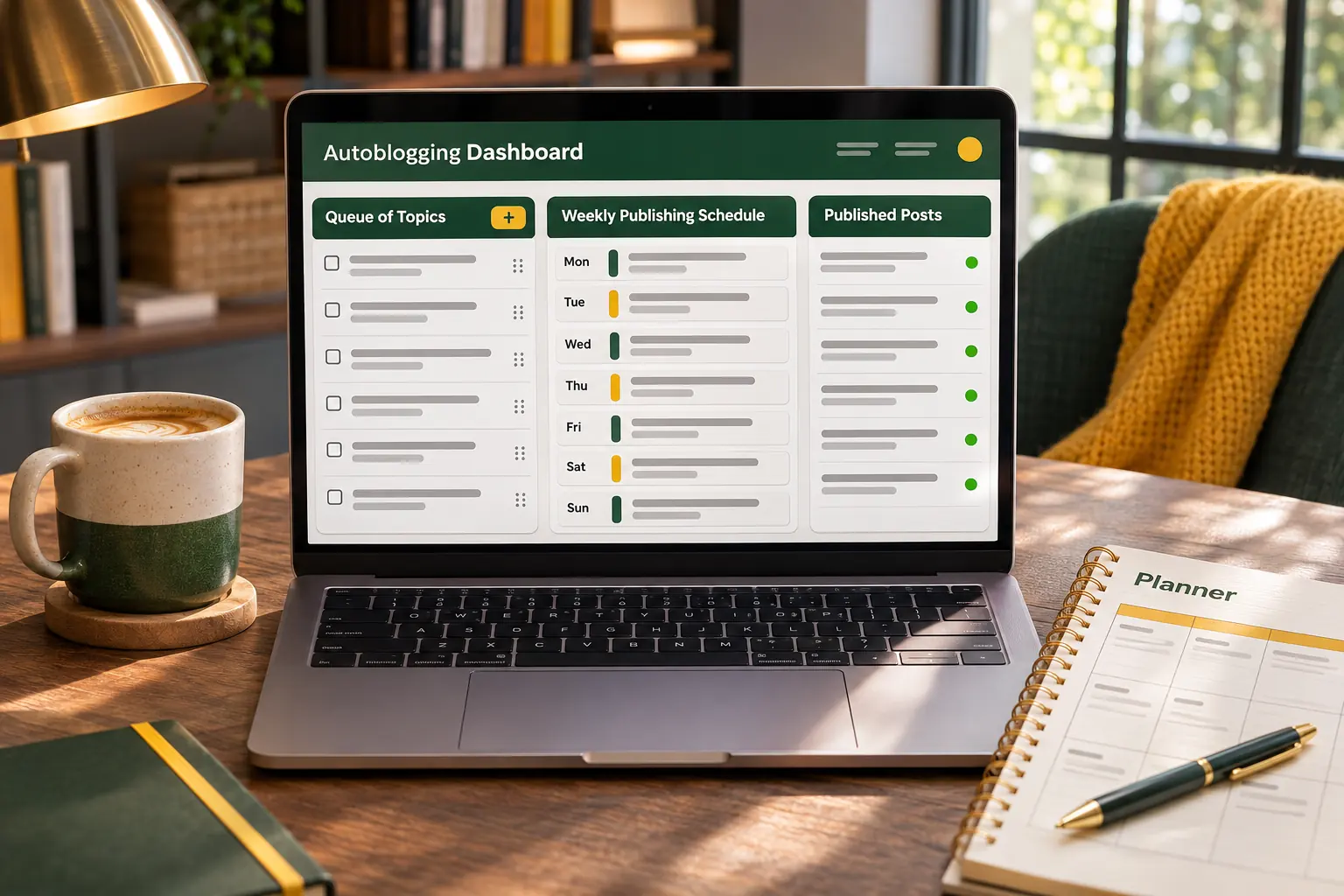
Autoblogging tools come in three shapes: a hosted blog that writes itself, a writer that auto-posts to your WordPress site, and an SEO agent that runs everything. Seven tools compared, with prices from each vendor's site.
PixelClaw Editorial Team
Product and search team
Headless AI Blogging with Next.js, REST APIs, Signed Webhooks, and Model Context Protocol (MCP)
How engineering teams integrate autonomous content pipelines into Next.js and Astro apps using REST APIs, HMAC-SHA256 webhooks, and Claude MCP tools.
Marcus Vance
Head of Growth Architecture