Autopilot
How-to guideHands-Free Autoblogging: What Autopilot Can Run Alone, and Where You Still Step In
An honest look at hands-free autoblogging: what PixelClaw's Autopilot does without you, the safety rails that hold weak posts back, and the weekly hour that keeps it working.

On this page▸
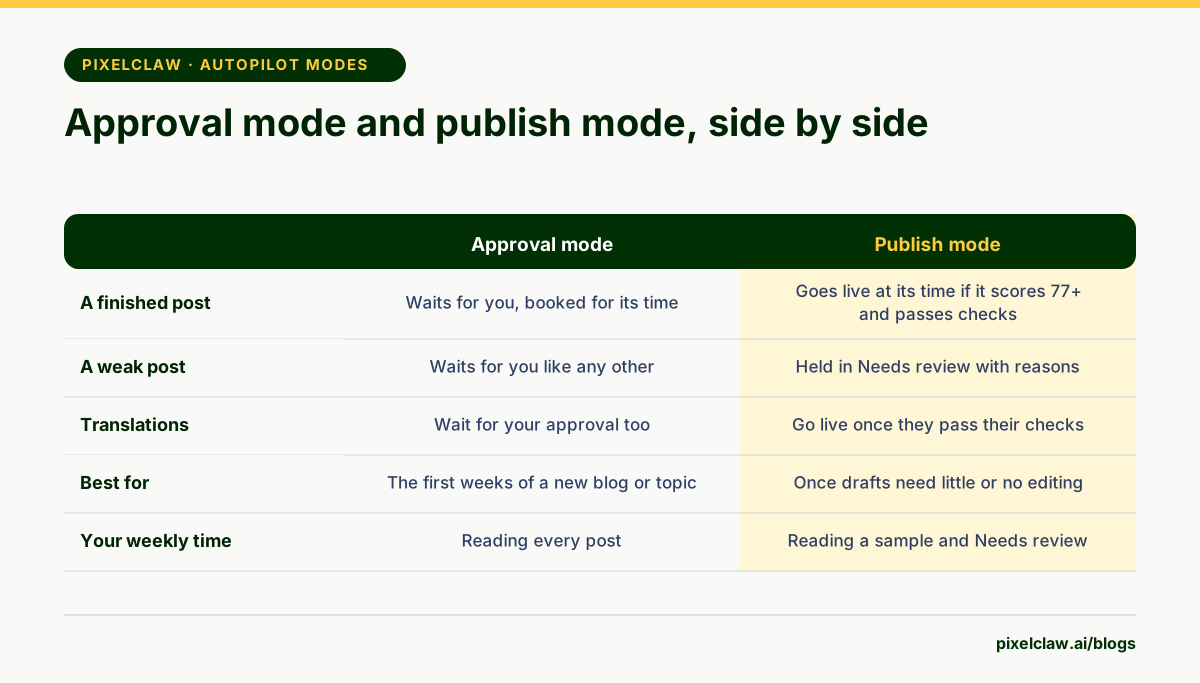
Hands-free autoblogging means the blog keeps publishing without you touching each post: topics refill themselves, drafts are researched, written and scored, and posts that pass go live on schedule. With PixelClaw that is Autopilot in publish mode, where posts scoring 77 or more and passing every publication check go live alone.
What hands-free autoblogging can honestly mean
Every autoblogging tool says hands-free, and they mean very different things. Some mean the tool writes the post and you do everything else. Some mean it publishes everything it writes, good or bad. Neither is what you want.
Useful hands-free autoblogging means three things together: the blog keeps publishing on schedule without you starting each post, weak posts never go live without a person seeing them, and you can see at a glance what happened while you were away. Take any one of those away and you either do the work yourself or lose control of what goes out under your name.
What PixelClaw's Autopilot runs on its own
Once it is set up, Autopilot handles the whole chain. It takes the next topic from the queue, and when the queue runs low it refills from the sources you allowed: saved keywords, research ideas that no post covers yet, new topics, and on plans with competitor gaps, searches your competitors rank for.
For each topic it researches the ranking pages and reader questions, builds the outline, writes the draft in the chosen brand voice, makes the hero image with alt text, and scores the post. Its repair pass fixes what the score flags, at no extra cost. If your plan includes translation and you turned it on, it translates the post too. Then it books the post for its slot.
Each post is written about a day ahead, so a temporary problem has room to be retried. If the problem is on PixelClaw's side, Autopilot retries after 5, 15 and 30 minutes, without redoing stages that already finished.
The safety rails that make hands-free safe
Hands-free only works with limits the system enforces even when you are not looking. Autopilot has four.
The quality bar: in publish mode a post goes live on its own only if it scores 77 or more out of 100 and passes the remaining publication checks. Anything else goes to Needs review. The pace ceiling: each plan sets posts a week per blog, and no blog ever passes 14, because Google's spam policies target sites that publish lots of pages mainly to rank. Credits: when they run out, Autopilot waits instead of failing half-way. And pausing: if runs keep failing for a reason on your side, such as an expired key, Autopilot pauses and tells you why instead of failing every night.
Where you still step in
Hands-free autoblogging moves your time, it does not remove it. Plan on one hour a week, at a fixed time.
Read a sample of what was published, two or three posts, for facts and tone. A score checks structure and discoverability; it cannot tell whether a price is right. Clear Needs review: fix and approve the posts that were held, or remove them. Look at Search Console for posts losing readers and refresh one. And glance at the queue to make sure the topics it refilled are ones you want.
- Read two or three published posts for facts and tone.
- Clear Needs review: fix and approve, or remove.
- Refresh one post that is losing readers.
- Check that new topics in the queue fit your business.
Going hands-free gradually
The safest route is in three stages. Start in approval mode with a small, focused topic list, and read every post. When posts stop needing edits, usually after ten to twenty, switch to publish mode for that topic cluster. Then turn on topic sources so the queue refills itself.
At each stage, change one thing at a time. If quality drops, you will know which change caused it. If you want the full setup screen by screen, read how to use the bulk writer; for the bigger picture, our autoblogging guide.
What hands-free autoblogging costs each month
Two things set the monthly number: your plan's pace and your credits. Each post's credits include Autopilot's repairs. The Free plan includes 50 credits a month, Starter 250 and Pro 1,000, and the pricing page shows how many posts each plan's credits make; bought credits add more.
If you publish more than your plan's credits cover, buy credit packs, which also lift any blog's pace to 14 posts a week while they last, or connect your own AI, research and image keys, which use no credits at all. Either way, the cost per post is known before Autopilot starts.
- In publish mode, Autopilot publishes posts that score 77 or more and pass every publication check, at their booked time.
- Anything weaker is held in Needs review with the reasons listed; nothing weak slips through.
- Topic sources refill the queue, and repairs, images and scheduling happen without you.
- Safety rails cap the pace at 14 posts a week per blog and pause Autopilot after repeated failures on your side.
- Keep one weekly hour for reading a sample, clearing Needs review and refreshing posts losing readers.
Frequently Asked Questions
Can autoblogging be completely hands-free?+
The publishing can be. The judgment should not be: a weekly look at what was published, what was held and what is losing readers keeps a hands-free blog from drifting.
What happens to posts that don't pass?+
They are held in Needs review with the failed checks listed. An owner or admin can fix and approve them from there, and approving a held post is recorded in the blog's activity log.
Can I stop Autopilot at any time?+
Yes. An owner or admin can switch Autopilot off at the top of its page; nothing new starts, and the queue waits until you switch it back on.
Is hands-free autoblogging safe for SEO?+
It is when the pace is sensible and every post clears a quality bar. Google's spam policies target volume made to manipulate rankings, which is why Autopilot never publishes more than 14 posts a week on one blog and holds weak drafts back.
How do I know what Autopilot published?+
The Autopilot page lists every run with its status, and progress emails can tell you when a draft is ready or a step could not finish. Published posts appear in your posts list like any other.
Sources
- Spam policies for Google web search: scaled content abuse — Google Search Central
- Google Search's guidance about AI-generated content — Google Search Central Blog
Built & scored using PixelClaw.ai
More from this blog
Continue exploring autoblogging architecture, AI blog writing, and SEO / AEO / GEO playbooks.

Autoblogging in 2026: How to Run a Blog That Publishes Itself and Still Ranks
What autoblogging looks like when it works: a topic queue, research before writing, a score that holds weak drafts back, and a pace Google reads as a publication rather than a content farm.
PixelClaw Editorial Team
Product and search team
How to Use the Bulk Writer in PixelClaw: Autopilot, the Topic Queue and Your Schedule
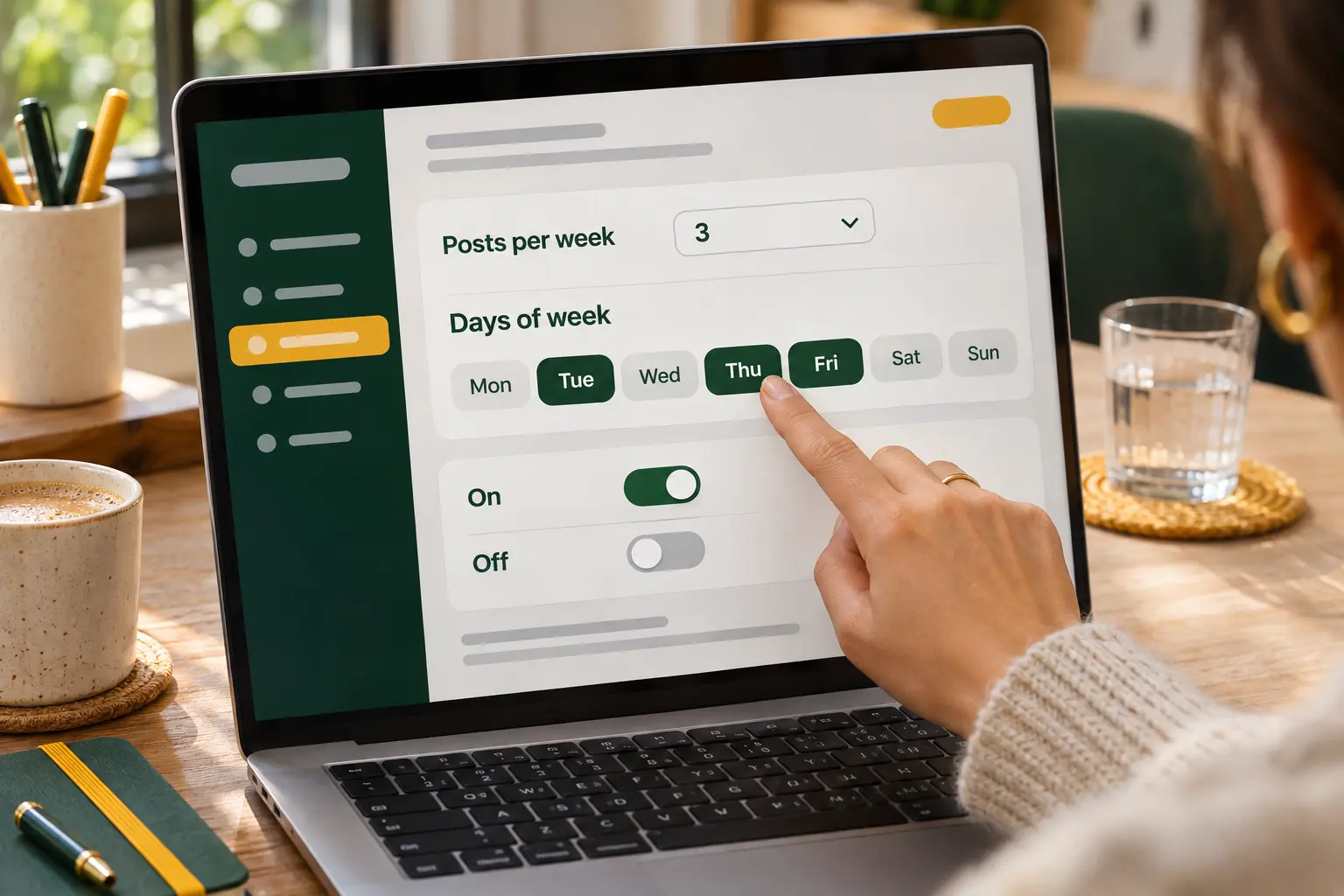
A step-by-step walkthrough of PixelClaw's bulk writer: adding topics, setting the pace and days, choosing voice and research depth, approval or automatic publishing, and keeping the queue full.
PixelClaw Editorial Team
Product and search team
Choosing an Automated Blog Writer: Five Levels of Hands-Off, and the Best Tool at Each
From an assistant that drafts when asked to an agent that publishes daily, automated blog writers differ mostly in how much they do without you. Five levels, and the best tool at each.
PixelClaw Editorial Team
Product and search team