Tech blogging
Niche guideTech Blogging Software: Write the Guide Once and Keep It Current
What tech blogging software can research and draft for reviews, how-tos and comparisons, and what stays with the writer: the testing, the version numbers and the code.
On this page▸
Tech blogging software researches what readers ask about gadgets, apps and code, writes an outline and a draft, scores it and publishes it on your blog. It saves research and formatting time. Hands-on testing, version numbers, dates and benchmark results come from the writer, and code and specifications must be verified before publishing.
What is tech blogging software?
Tech blogging software does the research, drafting and publishing work for a blog about technology. It finds the problems readers search for, writes an outline and a draft, scores it and publishes it on your blog after you approve it.
It has not used the product. It reads pages that already rank, so it can describe what others have said about a router or a framework. It cannot tell you that the setup failed on step four. That part is the reason anyone reads a tech blog.
The category fits a developer who writes up what they solved, a reviewer who tests devices, an IT consultant who wants customers to find their answers and a small software company that wants its docs-style guides to be found.
What do tech readers search for and ask AI assistants?
Tech searches are urgent and specific. A reader has an error message or a purchase to make and wants the answer now. They type the exact problem into a search box or ask an AI assistant in a full sentence, and a page that opens with the answer gets quoted.
These are question types a tech blog can own. The last column is the work only the person who ran it can do.
| What the reader asks | What the post needs | What the writer must supply |
|---|---|---|
| How do I fix a slow Wi-Fi connection? | A numbered checklist | The router model and what changed your speed |
| Which laptop is best for programming under a fixed budget? | A dated comparison | Hands-on notes and your own photos |
| How do I set up a home VPN? | Step-by-step instructions | The software version you tested |
| Is this phone worth upgrading to from last year's? | A fair comparison | Measurements from your own use |
| What is the difference between two frameworks? | A table of trade-offs | A project you built with each |
| How do I back up my photos automatically? | Options and steps | The setup you actually run |
| Why does my app crash on launch after the update? | Likely causes and fixes | The exact error and the fix that worked |
| Is this smart speaker private? | A summary of settings | A check of the vendor's own documentation |
Why most tech blogs stall
Orbit Media's 2026 survey of 1,042 content marketers puts the average post at 3 hours and 20 minutes to write. A tech post adds the testing time before it, and the maintenance after it.
Maintenance is the hidden cost. A guide written for one version is wrong when the next one lands, and the blogger who wrote ten guides now has ten to revisit. Many tech blogs stop because the old posts weigh more than the new ones.
Software cannot test your product, but it can draft the first version fast and keep the structure ready for an update. That leaves your hours for the testing.
What only the tech writer can supply
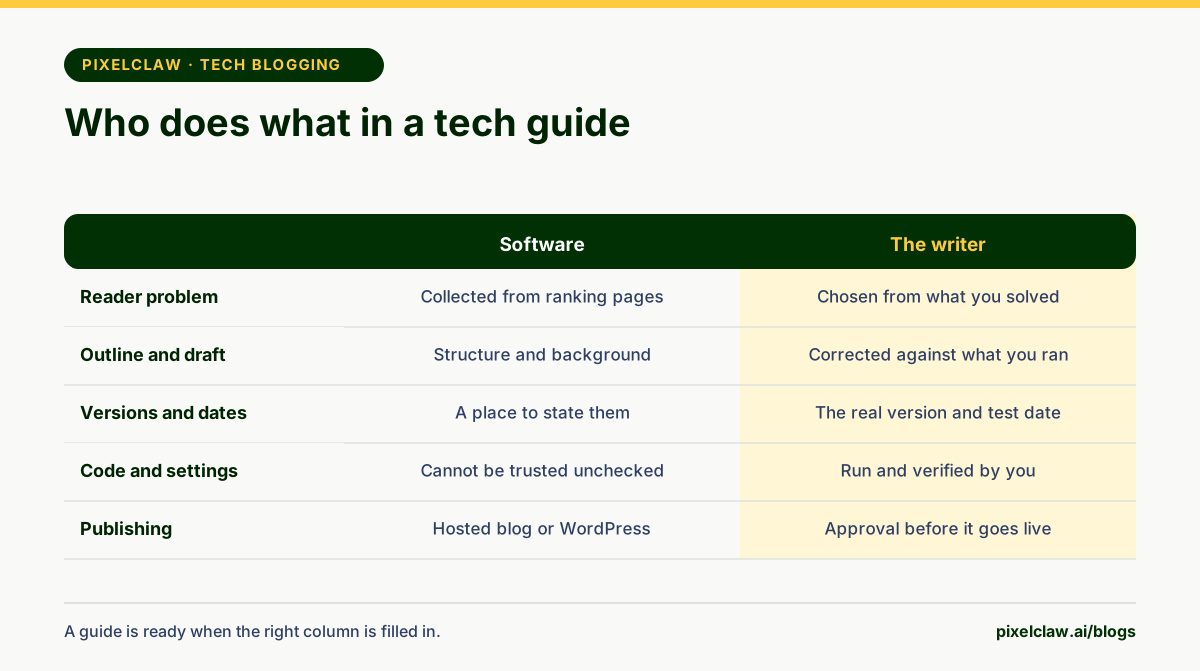
Hands-on testing is the first thing. Google's guidance on high quality reviews asks for first-hand evidence, your own visuals, measurements and an honest comparison with alternatives. A draft written from other pages has none of that, so the evidence must be yours.
Version numbers and dates are the second. Every guide should state the version it was tested on and the date. A reader who has a different version can then judge whether the steps apply.
Code and specifications are the third. A draft can name a flag that was removed, quote a spec from the wrong model or give a path that does not exist. Run every snippet and check every number against the vendor's documentation before you publish.
The opinion is the fourth. Which tool you would choose and why is your call. Software can arrange the options. It cannot say which one it would put on its own desk.
What makes a tech post trusted by readers, Google and AI answers
Lead with the fix or the verdict. If the post is about a crash after an update, give the most likely cause and the fix in the first paragraph, then explain.
Show that you ran it. State the version and the date, add a screenshot of your own screen and list what did not work. Name the author and link a page that says who they are. Google's guidance on helpful, people-first content asks who created the content and how, and a tested guide answers both.
Keep the quality up. Google's spam policies treat many pages made mainly to manipulate rankings as spam, so ten shallow reviews of products you never touched do harm. A smaller set of tested guides does better.
Update the page when versions change and show the date. PixelClaw sets up structured data for articles from the first day, so an honest modified date can reach search engines. Your job is to make it true.
How PixelClaw fits a tech blog
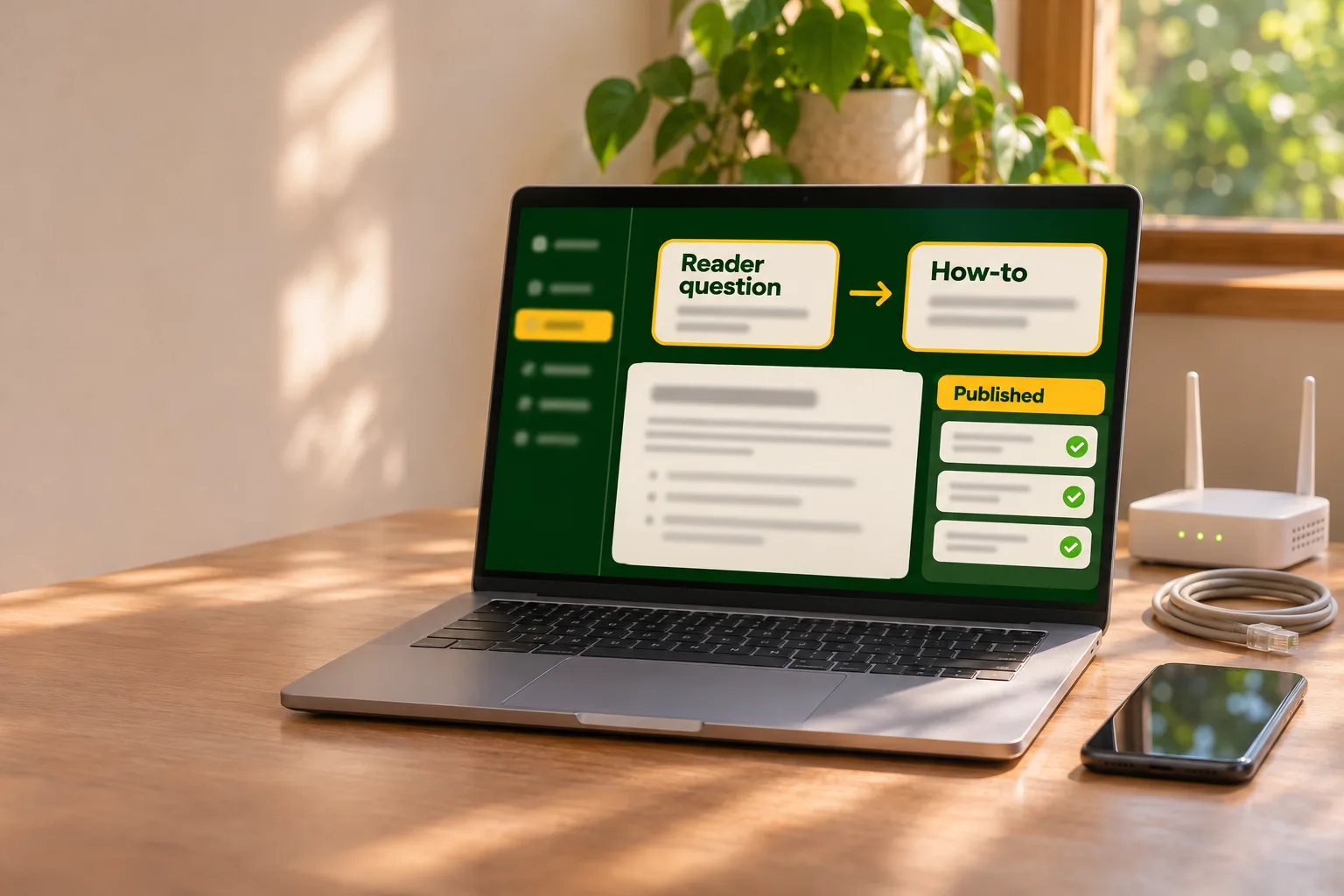
PixelClaw researches each topic by reading the pages that already rank and collecting the questions readers ask, then writes an outline and a draft. For a tech blog that means the structure of a how-to or a comparison, with the questions people ask already collected.
You can guide one post at a time in the writing studio, where the outline can be edited before the draft is written. That is where you put your own steps and results in place of the generic ones. Or you put topics in a queue and let Autopilot work through them at your plan's pace, which suits explainers that do not depend on one product version.
Every draft is scored out of 100 from 21 checks in five areas: SEO carries 30% of the score, AEO 20%, AIO 15%, GEO 15% and SXO 20%. Most failing checks come with a one-click fix. A draft under 60 is held back. Finished posts wait for your approval by default, and with automatic publishing switched on a post must score 77 or more to go live on schedule. Keep approval on for any post with code or settings in it.
Posts are published on a blog PixelClaw hosts for you, with sitemap.xml, robots.txt, llms.txt and structured data for articles and FAQs set up from the first day, or on an existing WordPress site through the PixelClaw plugin. Starter and higher plans can connect a custom domain and translate a post into eleven languages. On plans that include Competitor Spy, it shows topics competing sites cover that yours does not. PixelClaw makes a hero picture for each post it drafts. A personal blog can skip business details at setup, and a software company can add its website so PixelClaw builds a business profile the owner approves.
How to choose tech blogging software
Five questions separate a useful tool from one that fills a site with untested guides.
- Does it research before it writes? A draft built from ranking pages and reader questions is easier to check.
- Can you edit the outline before the draft? Your own steps should replace generic ones early.
- Do you approve every post? Code and settings must never go live unseen.
- Does it hold weak drafts back? A score with a publish bar keeps thin posts off the site.
- Does it show topics your competitors cover and you do not? Gaps in a tech blog are easy to miss.
Start a tech blog this week
List the last five problems you solved. Pick the one you would most want a stranger to find. Write down the version, the error and the fix while they are fresh.
Create the blog and add that problem as a topic. Let it research and draft, then correct the draft against what you did, add a screenshot and the test date and delete anything you did not run. Fix the failing checks, approve the post and publish.
Add one guide a week, and return to the oldest when a new version appears. Our guides to autoblogging and to whether blogging is still worth it cover pace and results, and business blogging software is the page for a company that wants customers to find its help content.
- Tech readers search for fixes, comparisons and setup steps, and a post that answers the exact problem first gets the visit.
- Tech blogs stall because every guide goes stale as versions change, so each one is work twice.
- Software can research, outline, draft and publish, but it did not run the product or the code.
- Testing, version numbers, dates and measurements must come from the writer and be recorded on the page.
- Verify every command, setting and spec in a draft, because a wrong step costs a reader an afternoon.
Frequently Asked Questions
Can AI write tech blog posts?+
It can draft the structure, the background and the common questions. It has not used the product, so it cannot report what happened when you did. Run every step yourself, record the version, and add your own results before you publish.
How do I keep a tech post up to date?+
Put the version and the date you tested at the top, and revisit the posts that bring in the most readers when a new release lands. Update the post, change the modified date and say what changed. A dated, maintained guide earns more trust than a new post on the same subject.
How do I start a tech blog?+
Choose one area you use daily, such as home networking, a programming language or one family of devices. Write down the problems you solved this month and the questions colleagues asked. Create the blog and publish the first fix with the version you used. A narrow focus is easier to answer well.
Is it safe to publish code written by AI?+
Only after you have run it. A draft can contain a command that does not exist in your version or a setting with the wrong name. Test each snippet in the environment you name, and say which version you used so readers can compare.
How do I review a product so that readers trust it?+
Use the product, show your own photos or screenshots, give measurements and compare it with alternatives. Google's guidance on reviews asks for first-hand evidence and quality over length. Say what you did not test, as well as what you did.
Sources
- Blogging Statistics 2026: What 1,042 Content Marketers Told Us About What Works — Orbit Media Studios (The average post takes 3 hours 20 minutes to write and runs 1,312 words.)
- Creating helpful, reliable, people-first content — Google Search Central (Asks who created the content, how, and why, and stresses first-hand experience.)
- Write high quality product reviews — Google Search Central (Recommends first-hand evidence, your own visuals, measurements, comparisons, and a justification for calling something the best.)
- Google Search's guidance about AI-generated content — Google Search Central Blog (Automation is fine when it serves people. Using it mainly to manipulate rankings is spam.)
- Spam policies for Google web search — Google Search Central (Lists scaled content abuse, meaning many pages made mainly to manipulate rankings, as spam.)
Built & scored using PixelClaw.ai
More from this blog
Continue exploring autoblogging architecture, AI blog writing, and SEO / AEO / GEO playbooks.

Business Blogging Software: How a Blog Brings Customers to Your Business
What business blogging software does, why articles bring in customers who are already searching, and how it works for a local firm, a store, a SaaS company, an agency or a practice.
PixelClaw Editorial Team
Product and search team

Autoblogging in 2026: How to Run a Blog That Publishes Itself and Still Ranks
What autoblogging looks like when it works: a topic queue, research before writing, a score that holds weak drafts back, and editorial review before a draft reaches readers.
PixelClaw Editorial Team
Product and search team

AI Blogging Without the Slop: A Working Process for Posts People Trust
Where AI earns its place in a blog, where a person still has to step in, and a five-step process that turns AI drafts into posts worth putting your name on.
PixelClaw Editorial Team
Product and search team